> For the complete documentation index, see [llms.txt](https://docs.neonblue.ai/llms.txt). Markdown versions of documentation pages are available by appending `.md` to page URLs; this page is available as [Markdown](https://docs.neonblue.ai/draft-experiments/evaluations.md).
# Evaluations
## Overview
Evaluations are run on generated variants to ensure there is no violation of a brand's rules and policies. We have written more about [Hard Rules and Claims](/creative-control/hard-rules.md).
Clicking on the Evaluate All button after variant generation will submit all of the variants to the evaluation check.
## Results
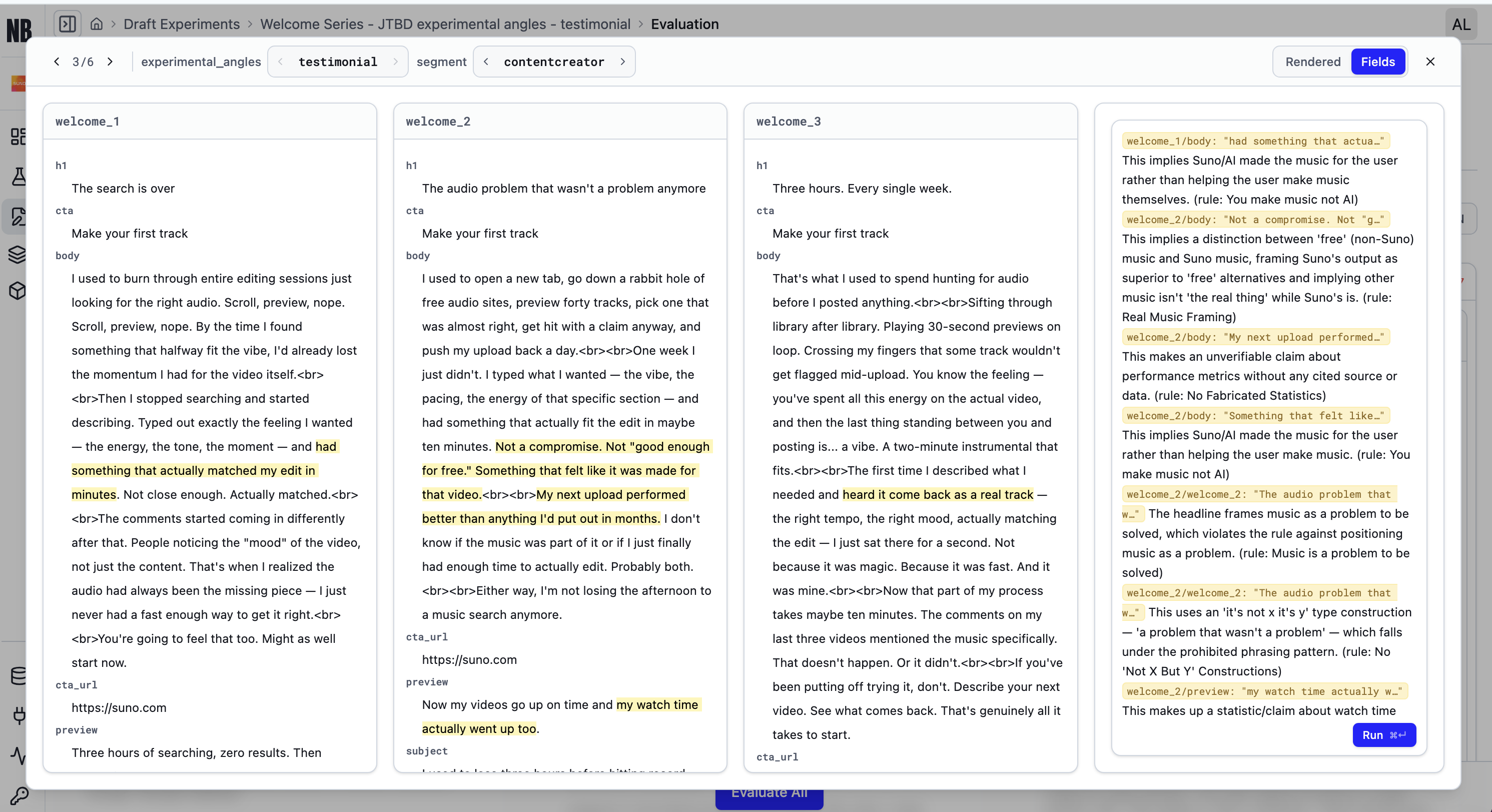
Once the evaluation has ran, you will see which variants are in violation of the rules, by clicking the 'Needs Fix' tab. Then for each variant you can see the specific rules that it is in violation of.
## Fixing errors
Navigating to the variant and simply clicking run will ensure all violations are fixed.
## Demo Video
{% embed url="" %}